Instructions for Use

1. Gaining Entry
To gain entry you will require the four digit number to open the key safe which is to the left of the door to the Main Hall and to the right of the door to the Meeting Room.
The four digit code changes monthly. Regular users are notified by email. Richard Corbett, the Chairman handles the bookings and requires all hirers who are not regulars to settle the invoice that is sent out once the booking has been confirmed. When the payment is in our account you will be notified of the entry code.
Operation of Keysafe for Main Hall
Pull down the cover, push down the slider marked with a C to CLEAR, then enter the four digit code making sure the buttons are fully depressed. The safe opens to reveal the key on a hook. Please close the door so the rain does not enter. Make sure you replace the key on leaving and going through the same procedure.


Operation of Keysafe for Meeting Room
OPEN pull forward rubber cover to reveal keypad and instructions
press and slide down CLEAR button at base
enter 4 digit code – press each digit firmly, tip: use your fingernail
press and slide down OPEN button at top
CLOSE press and slide down CLEAR
re-enter 4 digit code press each digit firmly
press and slide down OPEN button – close door
replace key and rubber cover
Please close the safe while you are in the Hall and do not forget to replace the key in the safe after the event. Please do not take the key home with you.


2. Lighting and Heating
Just inside the Main Hall to the right of the servery hatch find the light switches. The curtain hides the three right blocks and should be left alone. The switch on the left operates the central lights and that next to it the section nearest the car park. The lights for the Side Annex are operated within that area. All are dimmer switches.


Heating and operation of air conditioners (Air Source Heat Pumps)
Below are two round push button dimmer switches that control the series of down-lighters along either side of the hall. On the right are two toggle switches, the right hand one controls the glitter ball and the other, the coloured ceiling strip lights.


Other Heating Controls
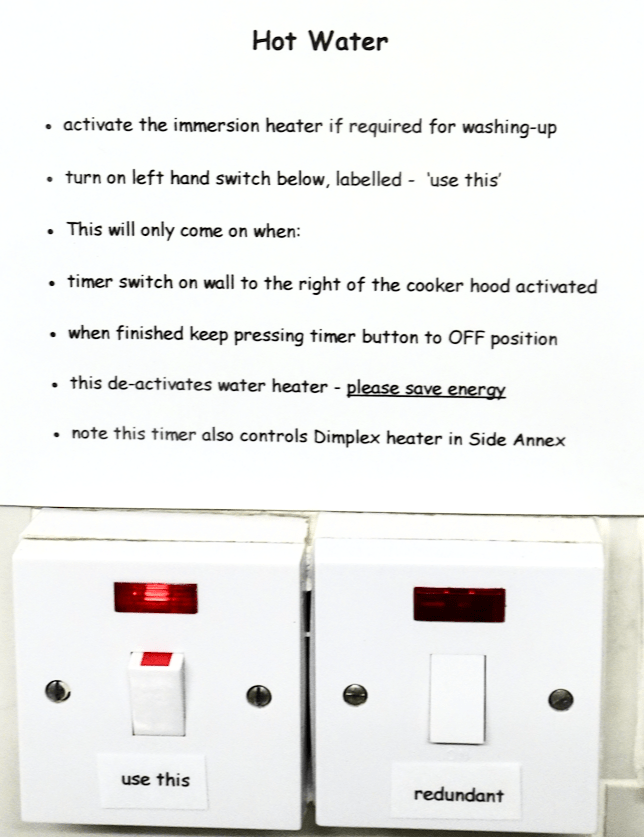
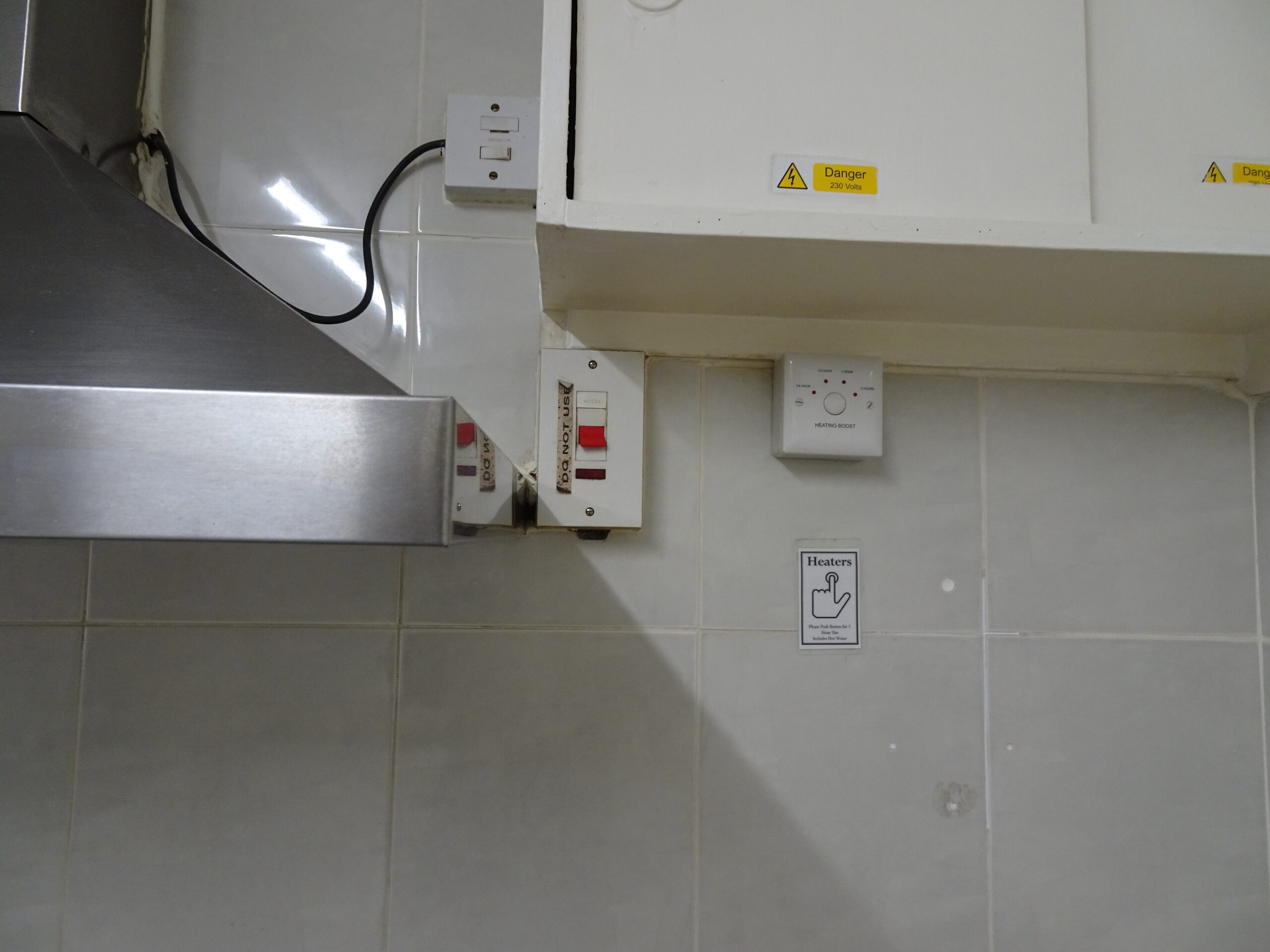
In the kitchen beside the cooker there is a timer switch. If you are holding a large function this timer is important to activate the immersion heater to provide the hot water for washing up, but you also need to turn on the switch above the draining board in this middle kitchen. The immersion heater will then also supply hot water to the basins in all the toilets.
This timer switch also activates the Dimplex heater in the Side Annex.
Meeting Room heating is provided by two Dimplex heaters. These are activated by local switches and the timer switch on the wall opposite the entrance. The timer switch also has to be on to activate the hot water geyser over the sink There is a large grey night storage heater which should be LEFT ALONE. It is for background heat.

3. Sophisticated Lighting for the Byfield Night Club
Part of the refurbishment done during the Covid lockdown involved the installation of more sophisticated lighting designed to make the Hall a more welcoming venue for evening events. Major changes have also been made to the stage lighting so as to enhance performances. The controls for these lights are sited, – for the Hall, to the left of the Servery hatch and for the Stage on the wall just inside the right hand door. To get the most benefit, study the instructions below, BEFORE your event
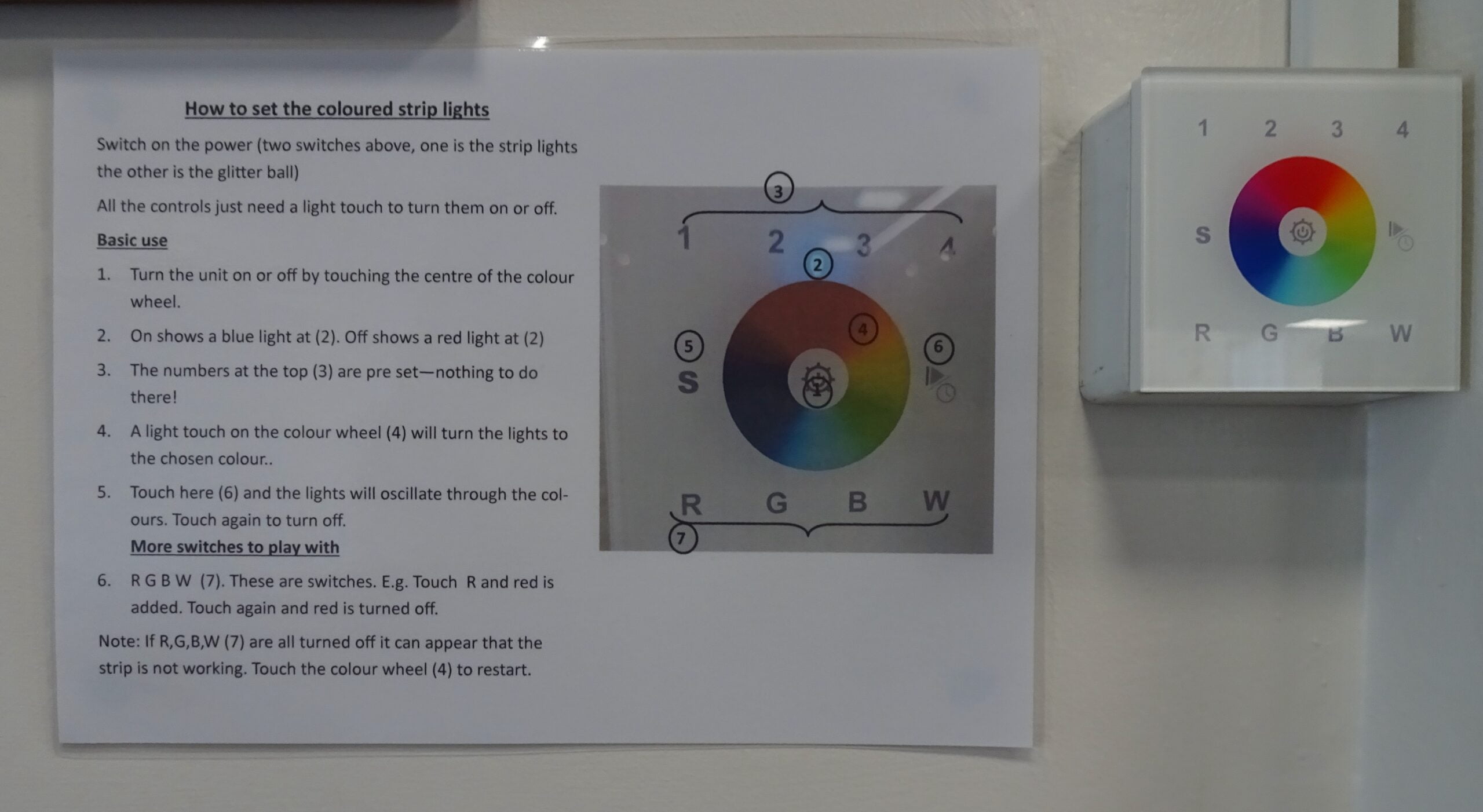
How to set the Main Hall coloured strip lights
Switch on the power (two switches above, one for strip lights, one for glitter ball)
All the controls just need light touch to turn on or off
- turn the unit on or off by touching the centre of the colour wheel
- ON shows a blue light at (2), OFF shows a red light at (2).
- the numbers at the top (3) are pre-set – nothing to do there!
- a light touch on the colour wheel (4) will turn the lights to the chosen colour.
- touch here (6) and the lights will oscillate through the colours. Touch again to turn off.
- R G B W (7) These are switches, eg. touch R is added. Touch again and red is turned off. Note that if R G B W (7) are all turned off it can appear that the strip is not working. Touch the colour wheel (4) to restart.
How to set the Stage Lights
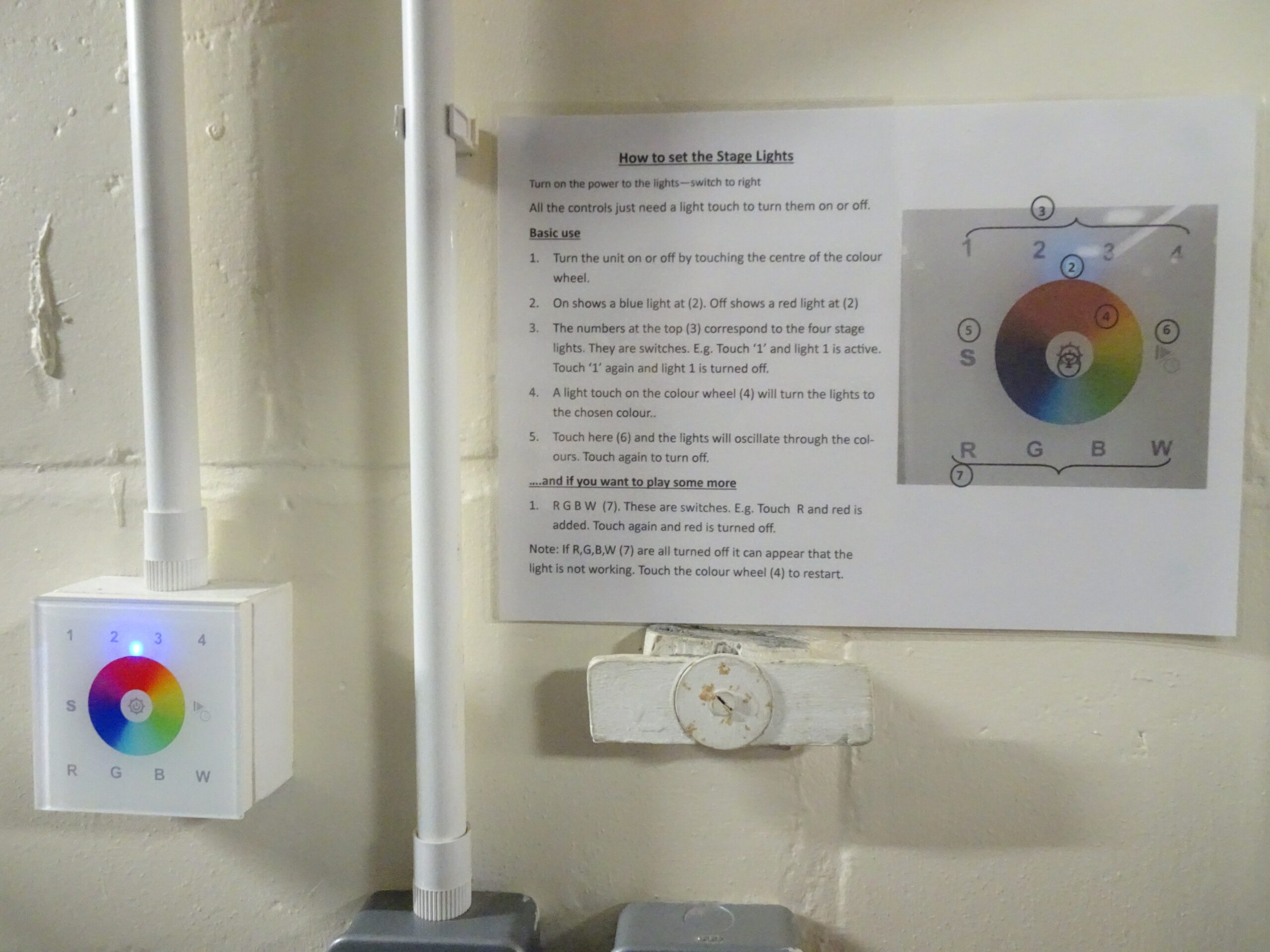
Turn on the power switch on the wall.
All the controls just need a light touch to turn them ON or OFF
Basic use
- Turn the unit on or off by touching the centre of the colour wheel.
- ON shows a blue light at (2) – OFF shows a red light at (2).
- The numbers at the top (3) correspond to the four stage lights. They are switches, eg. Touch 1 and light 1 is active, touch 1 again and light 1 is turned off.
- A light touch on the colour wheel (4) will turn on the lights to the chosen colour.
touch here (6) and the lights will oscillate through the colours. - Touch again to turn off.
…. and if you want to play some more
- R G B W (7). These are switches, eg. touch R and red is added. Touch again and red is turned off
- Note: if R G B W (7) are all turned off it can appear that the lights are not working. Touch the colour wheel (4) to re-start.
4. Microphone
For larger events organisers may find it useful to address the assembled company from the Stage and use a microphone. Please contact Richard Corbett (details on Home Page) if you require this. It is locked away. With the microphone in your hand slide the switch all the way to the ON position, then go to the brown Audio box mounted on the right wall of the Stage as you face the Stage. Turn on the mains switch near the floor and the toggle switch on top of the box. Speak! There is also a volume control on top of the box. The ON/OFF switch on the microphone has a halfway (mute) position – in this position the green light is on but no one will hear you. Push it forwards all the way to speak.


5. Projector Screens
The electrically operated large projector screen in the Main Hall is behind the stage curtain. Go up on the stage via doors to right or left. Facing the auditorium just behind the curtain on the right hand side is the remote that controls the operation of the screen. Point the remote at the screen housing. Use the up and down buttons. The middle button halts movement. The smaller buttons at the bottom can be used for small movements, not usually required. The remote is on a string. Please replace it carefully on the shelf, just as in the picture.


The screens in the Side Annex and the Meeting Room are manually operated. Read instructions on the wall. It is essential to pull down GENTLY so as not to over-extend. Go very slowly as black line at top comes into view, then it clicks into position. Pull gently down further and it retracts.
6. The Kitchen
Many of our hirers will want to do no more than use the kettles for hot drinks. However if you plan to do any of your own catering, or if you are employing a caterer you must first acquaint yourself with the following information.
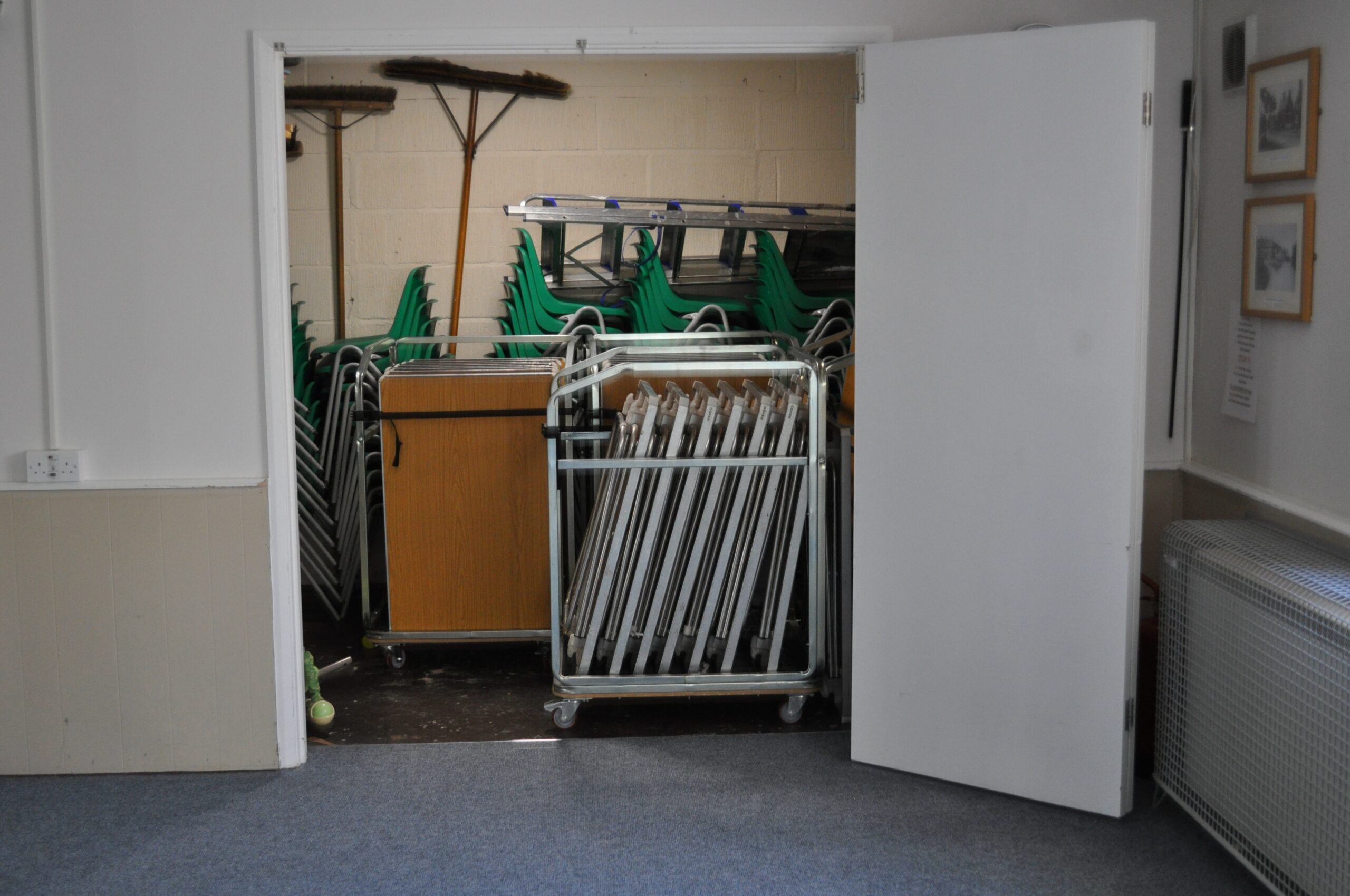
In March 2026 the kitchens underwent refurbishment. Entering the first kitchen from the entrance hall, there is a very extensive supply crockery within the cupboards on the right, on the left you will find the cutlery, cups and saucers and water jugs. On the shelf on the right is the Lincat geyser. Read the instructions on the wall. Turn on electricity and the water supply and you have a perpetual supply of hot water if you need to supply tea and coffee to large numbers. On the wall on the left is a black box. If you request use of the cooker we supply you with the code to open this box and inside you take key number 4 to release the padlock for the cooker switch. There is an £8 charge to use the cooker. On the floor are plastic boxes to accommodate waste that can be recycled, landfill waste goes into a black bin sack in a waste bin. When cleaning up recyclable waste goes in the appropriate blue bin outside the hall, and landfill waste into a green landfill bin. Tucked in beside the fridge are brushes and brooms. Large very wide brooms are hanging on the wall behind the chairs stored in the cupboard at the end of the Side Annex. Those are for sweeping the Main Hall. If needed, just inside in the Ladies Room on the right as a cupboard containing the vacuum cleaner, mop and bucket.
The second kitchen houses the cooker, hot cupboard and various cupboards that store kitchen utensils, mugs, a supply of black bins and cleaning materials beneath the sink. There is an immersion heater in the loft that supplies hot water in the kitchen and also in the toilets. You must activate the timer switch to the right of the cooker hood that runs out at two hours so may need to be reactivated when it runs out. When finished keep pressing the timer to deactivate. To activate you must also turn on the labelled switch above the draining board.
The third kitchen houses our new dishwasher, sinks, a second fridge, freezer, first aid kit in the labelled cupboard, and a large supply of glassware. More glasses are stored in the walk-in cupboard in the corner where you will find champagne flutes.
There is an £5 charge to use the commercial dishwasher. Read the instructions on the wall. Allow about one hour to warm up. The racks for the dirty plates are under the work top opposite. The wash cycle is about 5 minutes. There is nothing you need to do about detergent and rinse aid but be sure to follow all the cleaning instructions.


7. Fire Precautions
Note where the Fire Exits are (main entrance, car park side of Main Hall, opposite wall in Side Annex) and note where fire extinguishers are (entrance foyer, far end of kitchen area, Side Annex, Main Hall left of stage and two in the Meeting Room). All the Fire Exit signs are illuminated. Note it is also your duty to point out to users of the Hall where the Emergency Exits are sited. In emergency just push HARD on the bars of the Emergency Exit doors and they will open. Fire doors in and out of the kitchen area must be closed in an emergency and when you leave the building. The assembly area is the car park. If there is any outbreak of fire you must call the Fire Service. In the event of power failure the Emergency lights and Fire Exit lights will remain illuminated to aid evacuation of the building.
Remember Fire Exit doors must be kept clear of obstruction at all times and ensure this is so when you stack chairs before vacating the Hall.
8. Accidents, untoward incidents
Any untoward matter must be reported to Richard Corbett or any other member of the BVHMC. If required there are First Aid boxes available in the third kitchen, in the cupboard to the right of the sink. In the Meeting Room the First Aid box is in the cupboard under the sink. Within the First Aid boxes blank incident forms will be found. Alternatively, click this icon to download a copy, complete and email to . Quicker just to ring my mobile!
9. On Leaving the Hall
Leave things as you found them so that everything is in good order for the next user. Turn off all lights, heaters, appliances. Replace chairs and tables to where you found them. Chairs should be stacked in piles no more than five and placed BETWEEN Emergency Exit doors, so as not to obstruct them. Lift rather than drag furniture so as not to damage floor. Use the trolleys to move tables back to the store where you found them. In the Meeting Room leave eight tables together in centre of the room.
Sweep, vacuum and/or clean the floors, paying particular attention to food crumbs and any wet or sticky spills. Some of our hirers use the Hall in bare feet. A mop and bucket is kept in the Ladies in the first cupboard on the right as you enter with suitable cleaning fluids in the cupboard under the sink in the middle kitchen. That is the way to clean the kitchen floors but in the Main Hall please sweep the floor. Large brushes are hanging from the far wall in the Side Annex store cupboard. Dustpans and brushes are found beside the large fridge in the middle kitchen. The cleaning cupboard in the Ladies toilet also houses a vacuum cleaner and kitchen steps. Kitchen cleaning materials (washing-up liquid, scourers, oven cleaner, dish-cloths and black bin sacks) are in the kitchen, in cupboards below the counters. The equipment is there for you to use but we do ask you to provide your own tea towels and take them away with you.
Please dispose of rubbish correctly:
- please do what I hope you do at home
- items suitable for recycling can be placed in boxes under the counter in the servery area
- at the end of your event take these outside and place in the blue bin – BVH Recycling
- there are waste bins in the near and far kitchen areas lined with disposable black bin sacks
- rubbish unsuitable for recycling goes in black bin sacks, more of these if required, are in the cupboards as labelled
- at the end of your event tie up the black bin sacks and place in one of the two bins outside labelled BVH landfill
- do not place rubbish in the brown wheelie bin which is marked BVH garden waste
If you have used the kitchen, please:
- Clean all the work surfaces and mop the floor
- Leave the cooker completely clean
- if you have used the dishwasher make sure it is empty and cleaned according to the instructions on the wall
Byfield Village Hall is used for a wide variety of purposes, by many societies, clubs and individuals in Byfield and the surrounding area. If we all take care to leave it as we find it, it will continue to serve our community for many years to come.
If you have any problems, please mention them to the Chairman, Richard Corbett.



10. Car Parking
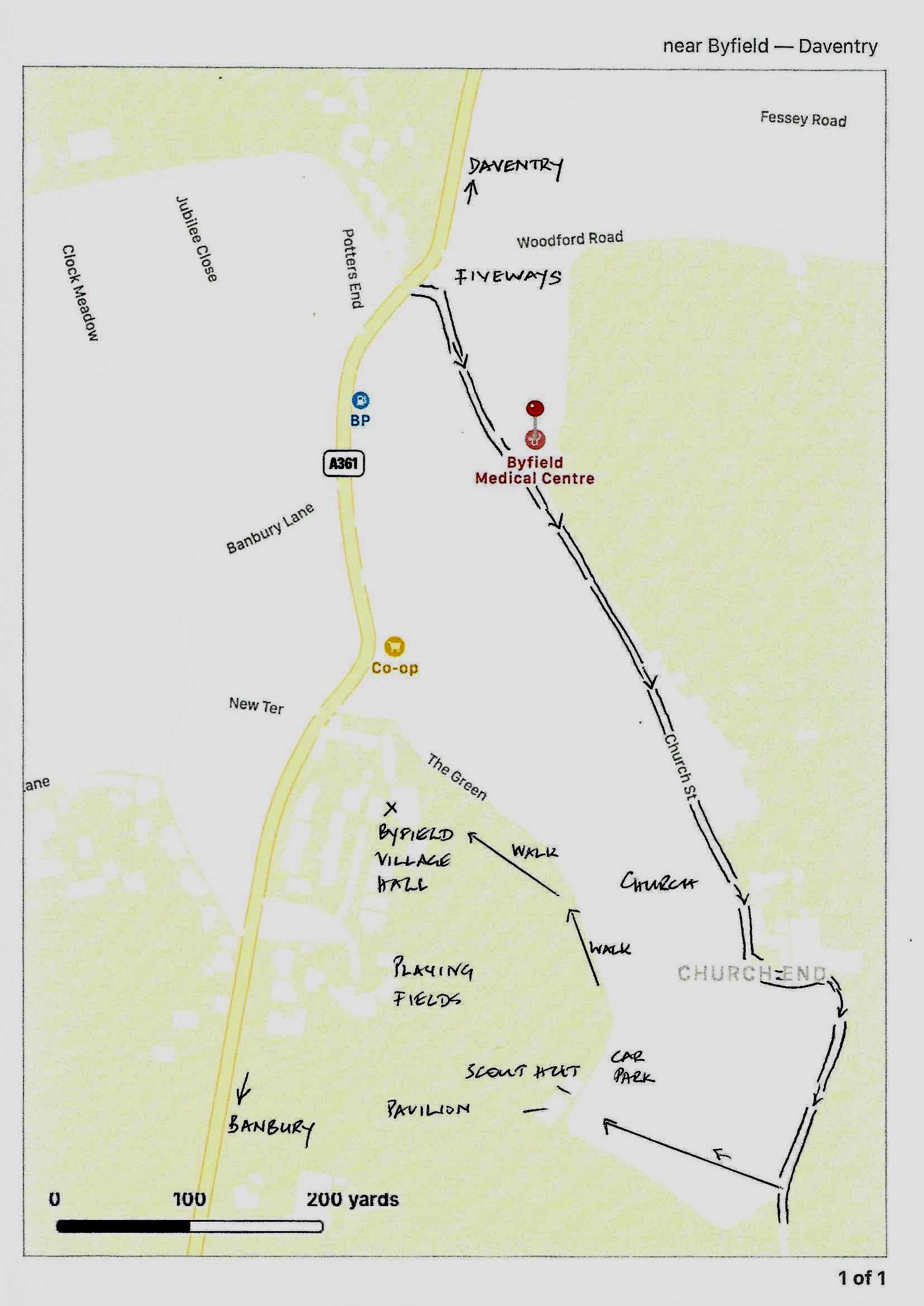
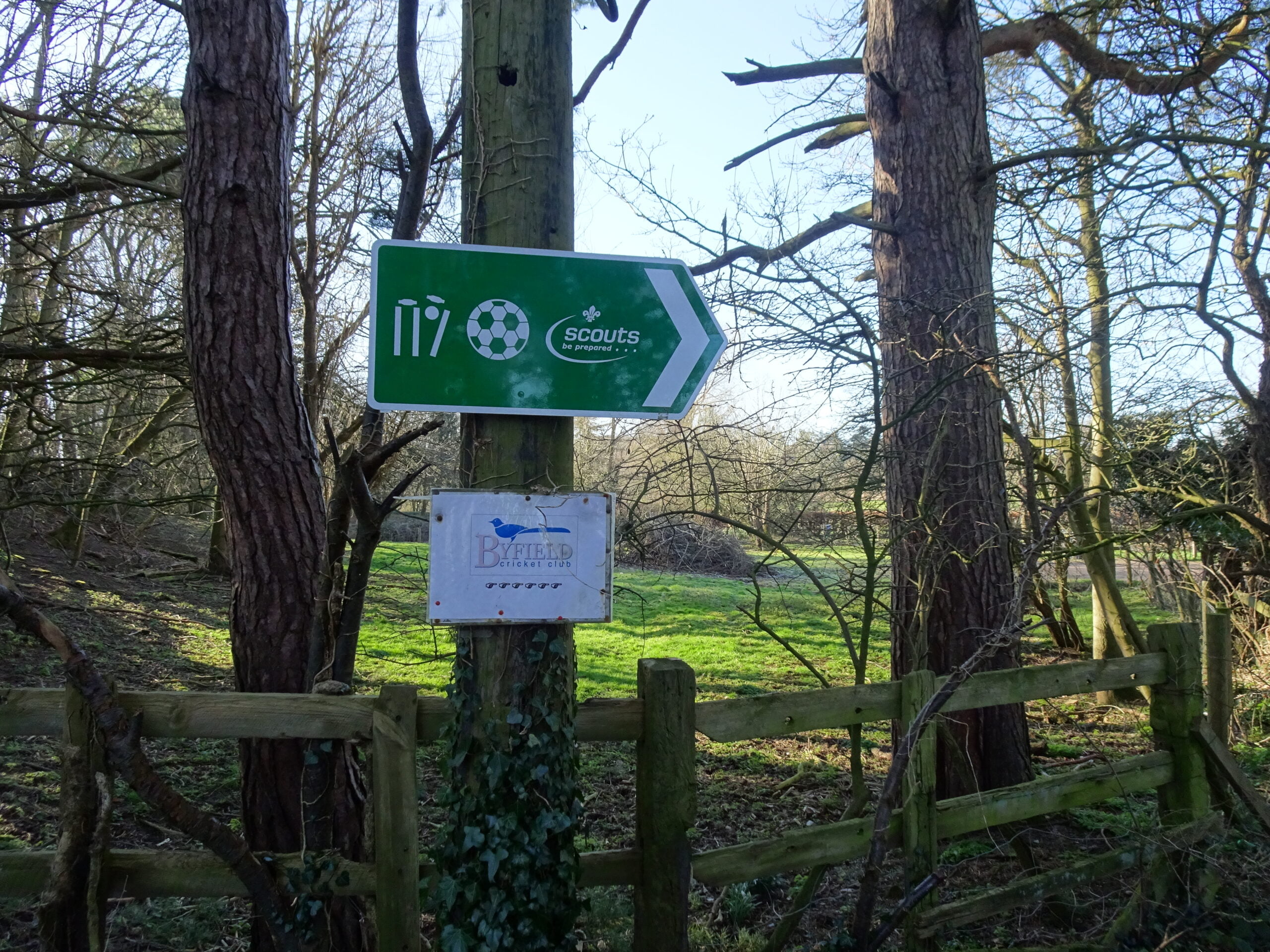
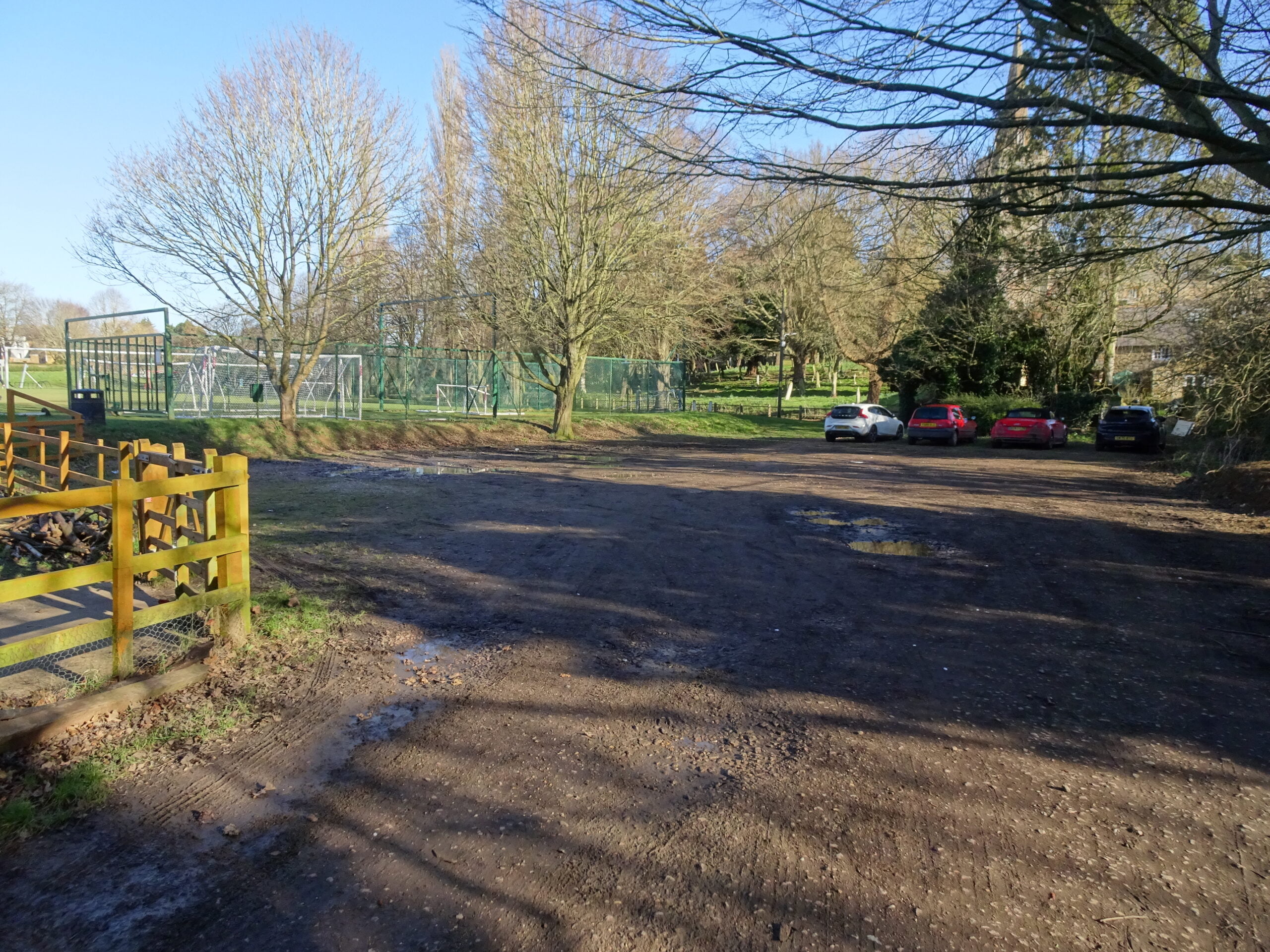
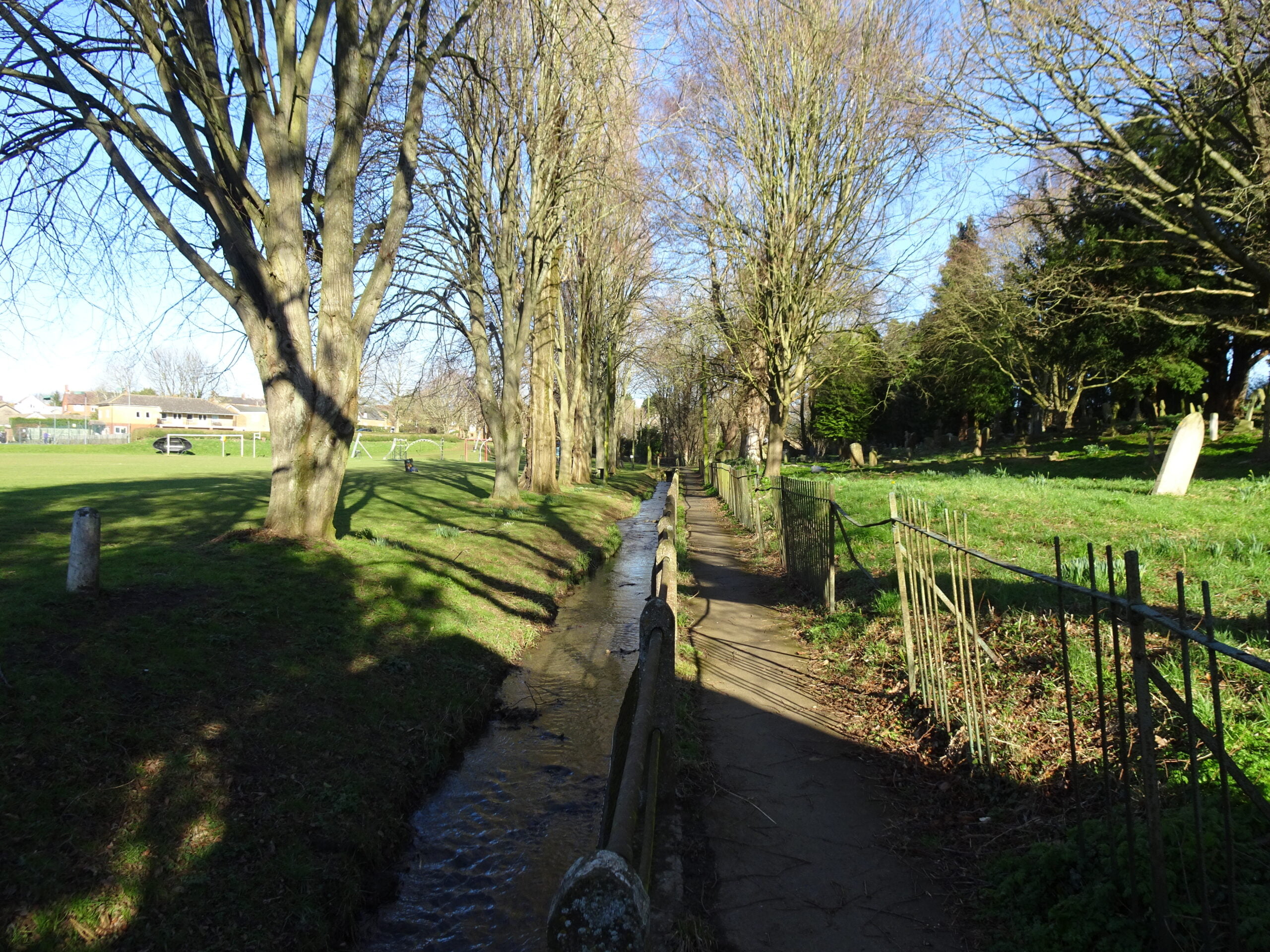
There is space for about 12 cars immediately outside the Hall and more on the road between the Hall and the main road. The area around the Hall belongs to the Parish Council and is not the responsibility of Village Hall. In summer when the ground is dry the Parish Council may permit access to a sloping grassy area, through a locked gate at the far end. About 15 more cars can be accommodated with care. Apart from parking on roads on the far side of the A361, the best option is to drive to an area on the far side of the playing fields and then take the short walk back to the Hall. Return to the A361 and turn right down past the garage to Fiveways, go right down Church St, past the Church, round the bends and past two houses looking for signs on the right to the playing fields and Scouts Hut. Park there and walk back along the path beside the playing fields. The trip will take about 10 minutes depending on traffic.